Saved Bookmarks
This section includes InterviewSolutions, each offering curated multiple-choice questions to sharpen your knowledge and support exam preparation. Choose a topic below to get started.
| 2351. |
Solve : Scan Guard. - Is it another scam?? |
|
Answer» I got this e-mail. I am notsure how they got my private address. It is the one I only use for Amazon and a few other sites. *****,Even Thunderbird thinks it is a scam. But what do yu think? This right here says it all... Quote Use the link below today and resolve 2 threats located during your initial scan and save an instant 60% today No scan ever run but yet they state you have 2 threats.. Its definitely SPAM, and using pressure/scare tactics to get people to buy into their product. I would also weigh in on stating that its also a SCAM, because even if they have a product that might clean up SOMETHING, the 2 threats are a lie, its about as bad as a car dealership using sales pitches to get you to buy into whatever they are trying to sell you that is not factual, but if they can sell you on that it is then they got you. I see junk e-mail like this all the time. I also use Thunderbird. You can teach it what is junk from what is not. I have been teaching mine for about 3 years now and its pretty GOOD at sorting good from bad. Sometimes good stuff still gets placed as bad and some new problems show up due to evolved subject lines etc that get around the prior rules I set. But I flag it as junk and it knows if others match to that structure of words again or similar to place into the junk folder. I also set up my rash cleanup to dump my trash bin when closing out. *This can be dangerous if something important finds its way to the trash bin of Thunderbird, but I have yet to have this become a problem, so it empties the trash bins to the e-mail accounts that are configured in it. I think the only problem i have since using Thunderbird is that I actually forgot my passwords for some of my e-mail accounts because it has them stored. Luckily I can drop a backup of the Thunderbird files/folders to a computer after clean install of Thunderbird and able to then have it ready to roll. However now that I think of it, I would perform a new backup as for Thunderbird likely updated itself between now and last time that I made a complete copy of it, and mixing new install of Thunderbird with old Thunderbird guts could break Thunderbird or just not work someday. Other issue other than forgetting passwords is that I used alias name and address and so I could lose access to some of these e-mail accounts someday if I am forced to change password with Yahoo for example and dont know the old password, dont know my alias, and dont know my security questions. Its a TICKING time bomb to someday no longer having access to these e-mail accounts. However I can still OPEN Thunderbird and see offline e-mail, and who i am in contact with that need to remain in contact with and notify them of a new e-mail account and that the old one is no longer active. |
|
| 2352. |
Solve : New Better Chromecast gadget for yout TV? |
|
Answer» A new 4K Chrome ast was announced. As expected, Google has confirmed it is launching a new VERSION of its Chromecast streaming dongle that can STREAM 4K video. https://www.wired.com/2016/10/googles-new-chromecast-4k-hdr-costs-twice-much/ Quote Take the new all-black Chromecast Ultra streaming dongle. Specs-wise, it has exactly the improvements you’d think it would: It now supports 4K content in both Dolby Vision and HDR10 formats. It’s designed to stream Ultra HD content from Netflix, Vudu, YouTube, and the new tack-sharp COFFERS of Google Play Movies, which will start bulking up its 4K offerings in November.I am sure I don't NEED it. I never believe Wired after its articles that were made up for the sake of people's attention. Or it could be pr or just sponsored news. Is there any Chromecast gadget review here? I just need to have at least one from the forum. Had to ask for college homework help on Programming. Many forum users have Chromecast. Most say its alright. Some prefer Roku. Here is an article from another forum: http://www.tomsguide.com/us/chromecast-how-to,review-1811.html I like my Chromecast. |
|
| 2353. |
Solve : Cerber Ransomeware virus Study my Malwarebytes.? |
|
Answer» Recently Malware bytes Lab did a article on the Cerber Ransomeware virus Cerber Ransomware – New, But MatureFor more.. go to: https://blog.malwarebytes.com/threat-analysis/2016/03/cerber-ransomware-new-but-mature/ My question; Have you every got HIT with it? How did you fix t it?Chimera killed me. Cerber will just make me cry... |
|
| 2354. |
Solve : eMachine - Never Obsolete Sticker - eMONSTER? |
|
Answer» Was watching YOUTUBE video and this sticker caught my attention, so I went on the hunt for the WEBPAGE that they referenced this from and found this. |
|
| 2355. |
Solve : Never insert a RAM stick without being able to see what your doing? |
|
Answer» So for years I have installed RAM into computers... No serious mishaps, key notch always saves from wrong insertion etc. What could go wrong with inserting a RAM stick into a computer with its side cover off that is facing the WALL and to lazy to completely unplug all cables other than power cord unplugged so that no power anywhere on motherboard when inserting RAM stick blindly. |
|
| 2356. |
Solve : Computer so very slow? |
|
Answer» I cannot UNDERSTAND why if i am not on LINE the cp is lightening fast, but on a web site like yours, or the BBC it is agonising slow and sometimes will not open at all , I suspect It is a network problem as I have done disk clean deleted programs running at start run scans etc, I thought I sent this earlier TODAY , but do not see it , so maybe the mouse is FAULTY, is that possible? can an expert give me some advice Thanks. No NEED to double-post... |
|
| 2357. |
Solve : List of Windows 10 editions? |
|
Answer» Worth noting. Editions. IMO, you ought to read it over before buying any EDITION. Thanks for posting that. It's a good reference. The Home Edition is good for most home users. You are welcome. |
|
| 2358. |
Solve : Save Windows apps to SD with phone??? |
|
Answer» Anyone know if I can SAVE an xp pro or any Windows app to my SD card using my phone. EVERY time I try it, it says it's not compatible. I was hoping that I didn't have to root my phone because every time I do that it seems I end up with another problem. Pleeeeeeez any help would be rad. Thanx I deleted your duplicate post. Please don't ask the same question more than once. |
|
| 2359. |
Solve : Using information from this web-site? |
|
Answer» Hello! I write a free (non-commercial purposes; without advertising) educational application, where USES information about DOS commands. Can I USE some information from this resource (site and FORUM)?No THANK you. |
|
| 2360. |
Solve : AOL sign in box position on screen changed? |
|
Answer» A couple of days ago, for no apparent reason, the sign-in box for my AOL email changed position on screen - NORMALLY in the top right quarter, it is now somewhat below the bottom of the screen (only about a third of the box showing) - I can scroll up to GET whole form - just, so it's not serious - just irritating. The scroll bar on the right MOVES correctly. I can't figure out how to correct and any suggestion will be appreciated. I have Vista and Firefox browser.Here I have Windows 7 and Firefox and it is on the left side the third item down. It is very hard to control, it will dance around with the mouse. But it dos work. |
|
| 2361. |
Solve : Privacy today, gone tomorrow. Thanks senators!:(? |
|
Answer» Guys its official. Our privacy rights have been spat on. The house has voted for the bill that allows ISP to sell our data to marketers and do whatever they want with it. Any suggestions for measures that can help protect my privacy against this ridiculous bill. Well done BC... I was curious when this started to hit the news a while ago and looked into it. It is somewhat concerning how the entire thing has been misrepresented by pretty much every article I can find, including those LINKED here; it rather neatly highlights Media sensationalism and in an incredible irony, illustrated how many different entities and organizations will willfully misrepresent information to support their own interests. There are websites claiming that this allows ISPs to track your web activity, or saying that this is the creation of a new law which allows such. I've seen posts on other forums calling for Americans to use Tor and other encrypted technologies to "prevent your ISPs from tracking your browsing"; All of which is completely ridiculous in the face of what has actually changed, which is absolutely nothing. Which is not to suggest that the Privacy Rule the FCC wanted implemented would have been a bad idea or that one should not question why that rule ended up rejected in review. Now, I'm no legal expert but personally I think the rule was overridden in review largely because it was an FCC Rule set to override established U.S Wiretapping Laws. It is my understanding that changing a Law requires a bill to amend those laws- that is, FCC Rules themselves cannot overreach U.S Law, and skip representative review. That seems like a sensible reason to override it, considering even if it had passed ISPs could likely have simply CHALLENGED the ruling on that basis and gotten it thrown out anyway. This certainly hasn't stopped the articles flowing in attaching dollar figures to "paid off" senators, however.Guys it's official. Trump has signed this ridiculous bill http://time.com/4724128/donald-trump-internet-history-isp-privacy-browser-history/ http://variety.com/2017/biz/news/president-trump-internet-privacy-1202021986/I've made an easy to digest list of everything that has changed because of this: I liked what you wrote. I was just giving an update on the situation |
|
| 2362. |
Solve : Neat way of knowing where PING as a timer is in its time delay with color? |
|
Answer» Sharing a neat way to know how close a PING time delay is to triggering event by Color. clrscr() function instead of system("cls") I got lazy trying to remember the clear screen function and said ok just use a system call to cls Very cool use of iomanip for the leading zero correction. I forgot about iomanip's ability to format this way. Back in college I used it mainly for dealing with money where I'd be programming up point of sale type of programs and the get_money and put_money was used with iomanip. Going to add your correction to my program to get rid of the alternate IF logic for alt output when value less than 10. As far as use of std::clock(); ... I actually avoided use of it because I thought it might be more difficult to get the precision for time delay and it looks like it taxes the CPU whereas sleep is less on the CPU. I read up on this article below on troubles with its use in which mainly depending on how powerful or weak of a CPU your running, the results will vary in how fast or slow the time delay is. So I figured a safer approach might be to just go with sleep() and set that to 1000ms and this way I am right in the ballpark at the get go and might just need to reduce from 1000ms to another lesser value after running it along side a clock or stop watch to see if the second intervals are somewhat sync. Running it today I see that its out of sync and might be as far out of whack as 1.2 seconds per 1 second. With this count down timer being slower (taking longer) to count down from 6 minutes. http://stackoverflow.com/questions/35439992/stdclock-and-clocks-per-sec To have an idea of how long it takes for time delay and the macro process, in the batch file I had added appending of date/time stamp into a log file so i see when the timer starts, when the timer ended, and when the macro ended before the timer starts again. The system that I have running this is a weak electron sipper Intel Atom N280 single-core with Hyperthreading 1.66Ghz running Windows XP SP3 on 2GB RAM which runs consuming just 13 watts of power. Its barely able to run the flash game and is so laggy that no one in their right mind would ever have the patience to game with it, but the automated process is not painful for a human to endure and so i gave this otherwise modern flash game crippled netbook a purpose and its holding up well to it. Other system I am running for the automated farming with a keyboard/mouse macro is the Sempron 3850 1.3Ghz Quadcore 4GB DDR3 running Windows 7 64-bit which runs on about 43 watts of power. So the programming methods have to be as CPU FRIENDLY as I can make them. The 1.3Ghz Quadcore holds up really well, but the clock of 1.3Ghz for single-threaded program means that while this system is generally better than the Intel Atom, the Intel Atom might actually be faster at the single-threaded C++ program execution due to the 1.66Ghz clock. Thats really cool that you found a purpose for the program you made 7 years ago for your work. If I had a bunch of different macros triggering at different times, then something like that would be cool to see what was last to run and whats next to run etc. Hopefully when I share code its not painful as nails to a chalk board to see abstract or blended coding methods. My college professor told me once that they should have a Rube Goldberg award to issue once a year to the most oddest of programming programmers, because he would have given it to me. Compiled the program runs as intended and without flaws and most wouldnt know how strangely constructed it was. But another programmer looking at the source code they generally are like and ha ha ha ... I do try to better my programming methods though and so I welcome all feedback. Thank you for your help and suggestions. I think some of my problems with coding is that I have dabbled in so many different languages as programming as a hobby and at times there becomes a blend. Such as the C within the C++ etc. Since if it compiles without any issues... And runs as intended, then all is good Yes, I see I was mistaken on what Clock() actually does. It records actual CPU time used by the process and isn't the equivalent of the more common "number of milliseconds since midnight". So timing it would probably need something like time.h. If you use an "idle loop" where you call sleep(0) to yield control within a tight loop waiting for a time to elapse, CPU usage is fairly low. It can be lowered still by using larger sleep() times as well. As far as Code style/good practices are concerned, I'd be lying if I said I didn't put my hands up and say "whyyyy" once or twice with some of your samplings . Though I've done the same with my own code as well. It's mostly a thing for future maintainability, so maybe doesn't affect small programs quite as much. The Program I used in that picture is about 20K lines of code across 48 files- which is certainly approaching "non-trivial". In addition to having to pop it open a few months later when we want to add some new feature or capability, or investigate an issue that was reported, it might not always be me doing so. maybe I'm on vacation or unavailable- like maybe during a deployment late at night there is some issue and I'm not around, or maybe I took time off or whatever. Which means that sometimes one of my co-workers needs to pop it open and take a look see, so it has to be fairly readable and understandable. That applies to all our software and I try to apply it to my own programs as well- Even if nobody else is really going to look at or modify it, I am, and looking at it a year later I may as well be somebody else entirely. a simple program could easily evolve into something much larger so writing it "clean" from the start is usually a good idea. Quote Even if nobody else is really going to look at or modify it, I am, and looking at it a year later I may as well be somebody else entirely. a simple program could easily evolve into something much larger so writing it "clean" from the start is usually a good idea. So I am not alone in sometimes looking at own source code from the past at times ... and " I may as well be somebody else entirely"... I have had some projects of the past that I am like ok I need to print the source out and take colored pencils to it and notate what is going on... especially if I didnt put in comment lines to make future readability easy. Lots of times I program and its just a direct brain dump of what needs to be coded up without adding comments as to why. And most programs they compile and run and I never revisit them, but on the rare occasion that I revisit a program from say 2 or more years ago, I have also said "Whyyyyy" to myself as to why I went with a specific way of doing it when reading it years later once I am able to follow it again, I sometimes realize that I over thought the code and really should have K.I.S.S method ( Keep It Simple Stupid ) Such as multiple lines that do the same thing and I really should have coded in reuse of functions vs making so many functions that function the same, so remove all those redundant functions an instead call to the function making for better code, and if say that function needed to be revised, its just that one function and not having to track down the 6 functions that do the same thing that all would need the change with the chance that I could miss one and now have a program that compiles and under certain conditions there is a legacy function triggering vs the most up to date instructions. Thanks for your help with this BC and cool and well skilled approach to all of this. |
|
| 2363. |
Solve : Video editor for cell phone videos? |
|
Answer» I need to make a one MINUTE video clip using a CELL phone is there any free programs that are fairly easy to use to edit out parts of the video?Personally I've USED Adobe Premiere Clip on Android which is free. Nothing special but I had no problem JOINING a few clips together and trimming them to make a video to SHARE on Twitter. |
|
| 2364. |
Solve : Video Picture upside down then will not play after editing? |
|
Answer» I took a landscape picture not PORTRAIT with a cell phone evidently it makes a difference which WAY you hold the cell phone was using the camera on the screen side when I tried to play on my XP computer it would not play MP4 file so I got real player 10 now it played except the picture is upside down I WANTED to turn the picture AROUND and chop off a LITTLE on both ends of the video so went online changed my MP4 file to WMV now it plays right side up did not have to flip over next I got an editor Video Pad v 5.03 this allowed me to edit the ends of the video I saved it in WMV format it works perfect on XP using windows media player 11 I then copied this file to cell phone with android operating system tried to play it says can not play so I had to get a player for my cell phone that plays WMV files now it plays on my cell phone. If you try to play on a computer with real player 10 it does not play the video I changed WMV back to MP4 using the editor it plays the audio but not the video what did I do wrong? I was wondering if you post a WMV file online can anyone see it or is WMV files obsolete? |
|
| 2365. |
Solve : 720 verus 1080 hdtv? |
|
Answer» I was watching the Price is Right using an antenna it came in on two different channels at the same time one channel was 720 and the other was 1080 is this the WAY it is broadcast or is the signal going thru the air causing the loss? Actual you could not see any difference in picture quality from 720 to 1080. If a channel is received in 720p it was transmitted in 720p. Likewise for 1080p. Unless you have a large SCREEN and good eyes you may not see any difference. Also 1080p TRANSMISSIONS may be so COMPRESSED that it looks no better than 720p. |
|
| 2366. |
Solve : Computer Speaker Questioin....? |
|
Answer» I just GOT another computer, a Dell Optiplex 780 with Windows 7 professional on it. The problem is that my set of pc speakers won't WORK on this pc because the computer has a built-in SPEAKER. It is like listening to a transistor radio back in the 70's! What can i do to get my speakers to work on this pc? They worked fine with my last pc just a few weeks ago. |
|
| 2367. |
Solve : Spring Cleaning for free disposal of computers and scrap - Earth Day? |
|
Answer» Reduced my computer count from 18 to 9 computers through a local annual FREE recycle event through a computer repair shop. They advertised free disposal of computers and with participating in this event you get entered into a drawing to win $50 grocery store card and get a $50 coupon for $50 off a new computer through them. I filled out to try my luck at $50 in free groceries as well as brought the coupon to work in case anyone here could use $50 off of a new Apple computer or something. Good deal. It costs $15 per monitor, $5 for tower, and $5 for a keyboard here. My guess is they forgot about the mouse or there would be another $5 charge. If wanting to avoid costs of disposal you can either take advantage of like I did for the Earth Day Recycle Program where they take STUFF for free or lower cost to get rid of it, or get rid of your computer for free to someone who wants it that might be able to use it. For 30 years I have gotten computers and pieces and parts and software and cables and extra keyboards and mice for free. I got even more stuff when people found out about my business. With my business many people liked being able to cut corners and fix their computer with that power supply that I got for free that I would charge $5 for plus installation. The little amount of money charged on the good parts I figured would cover the cost of disposal for the pieces and parts that are misfits ( unwanted ) or bad. At one point I had 27 computers most of them good but OLDER and so while that computer doesnt really have a market for sale to someone, power supply replacements were the most needed component as well as inexpensive RAM upgrades and optical drive replacements. The motherboards and CPUs were not really needed much, but one guy back 10 years ago had his computer die and I assisted in migrating his data over to a healthy computer. Gave him the entire healthy computer for $5 and just charged for the data migration from his old computer that had a partially blown motherboard ( leaky capacitors ) which would freeze up to a healthy computer that didnt have the capacitor plague also RUNNING Windows XP Home. He was VERY HAPPY to get a computer replacement for $5 and I took his old computer in as trade. Tossed out the motherboard to recycle after grabbing all USEFUL parts off of it. I had a reputation as a computer shop that was like a used car dealership trade in the old clunker that has issues and drive on out with the other used one that is healthy .... but the good analogy used car dealership that doesnt sell lemons. If you pull your hard drive from this computer and retain this so no one else gets your personal data, and then offer the rest of the computer for free.... I am sure if advertised for free, must take all, you will find someone who grabs it up for free. Out my way there is a Weekly Flea Market newspaper that only costs to list items for sale that are $100 or more.... Lots of people use it as a means to unload stuff for free onto others who can use it. Additionally there are websites like Freecycle that you can list stuff for free and people locally can contact you to pick it up and problem solved with no cost at all. I use freecycle to get things as well as get rid of things that are still good to someone who can use them. https://www.freecycle.org/ |
|
| 2368. |
Solve : Happy Birthday Flame ! !? |
|
Answer» You are missed around here...hope this FINDS you WELL... |
|
| 2369. |
Solve : Is DVI-I Dead/Obsolete?? |
|
Answer» Bought a Geforce GTX 1050 the other day for $119.99 and went to install it and found out that my DVI-I to VGA adapter wouldn't fit the video CARDS DVI connection. Looked at the DVI port and saw it was a DVI-D ( digital connection) and didnt have the DVI-I ( analog legacy option ) so that wasnt going to work unless I also upgraded to a brand new monitor. Not planning on spending more than the $119.99, I brought the video card back and got a refund. Then looked to see if there was a newer GTX card that had legacy monitor support so that i could use my VGA type monitor with a newer card. Looking at Newegg it looks like the GTX1050 only comes in DVI-D. So I guess I might stick it out with my older video card a little longer, but it got me thinking did DVI-I all of a sudden disappear from video cards for legacy display support? More devices are starting to ship with USB-C connectors built-in, and today groups behind HDMI and USB announced another way to take advantage of it. That method is HDMI Alt Mode, which means cable manufacturers can build a connector that plugs directly from the port on your phone, laptop or other device into the HDMI port on a TV or monitor. With this spec, there's no additional dongle or adapter needed in the middle.Cool thanks for the info =) |
|
| 2370. |
Solve : Problem about finding deleted website? |
|
Answer» I'm trying to find an deleted website. I know for Wayback machine tool, but I forgot exact adress for deleted website. I have only one picture that I downloaded from it, few years ago. I don't know is it USEFUL... Right clik the image in any photo viewer and select properties...perhaps that will yield some clues... Tahnk you for reply. There is no INFORMATIONS about website source in properties. Google image search work only with existing websites, so... Quote from: bajaga on May 03, 2017, 03:18:41 PM Tahnk you for reply.Did you try Google images? Quote from: Geek-9pm on May 03, 2017, 03:48:37 PM Did you try Google images? Yes, it works only with existing sites. So it didn't help. I never stated image properties would have website info....i stated that info may help... Type it in to a google search...you may again get lucky. Quote from: patio on May 03, 2017, 03:57:35 PM I never stated image properties would have website info....i stated that info may help... Info is very weak. Which information I have to type on Google? [attachment deleted by admin to conserve space]Thee is a lot of information about the name: Jovica Petrovic One of such was alleged to be a stalker. Here are 21 profiles: https://www.linkedin.com/search/results/people/?firstName=jovica&lastName=petrovic Is there some detail you are not telling? Here is a website: http://jovicapetrovic.weebly.com/ Quote Obsessed with the magic of painting, as well as the illusion of reality, Jovica Petrovic strongly OPPOSES the life that this profession is pulling him into. Therefore, like most autodidacts, compelled to prove his work, or to show how and in what way he MASTERS the basic elements of painting skills. This has led him to opt for a classic painting procedure, which basic typological features are the closest to the poetics of hyperrealism. In this way, he can best demonstrate his mastery in processing the matter in its pictorial representation, TACTILE and coloristic values, those being the challenges to which every good painter should prove himself....Quote from: Geek-9pm on May 03, 2017, 04:57:46 PM Thee is a lot of information about the name: Thank you. But, Jovica Petrovic is not important to me, and I'm not asking about websites that are live. I'm only trying to find exact web adress of deleted site, from which I have downloaded this photo. If I could find exact adress, I could find that deleted website through Wayback machine. Do you know that the site was definitely deleted? You could try a reverse image search at https://images.google.com/ where you click the camera icon in the search box and upload the photo you have. Google will then search for websites that have the same (or similar) images on them. Quote from: camerongray on May 04, 2017, 02:20:12 PM Do you know that the site was definitely deleted? You could try a reverse image search at https://images.google.com/ where you click the camera icon in the search box and upload the photo you have. Google will then search for websites that have the same (or similar) images on them. I've tried it, but without results. It is interesting that Google don't give the same results for everyone. I will put this photo here, you may try to check this out. Here is the photo: [attachment deleted by admin to conserve space]What was the website ? ? Why not check some backups of old bookmarks ? ? When and why was the website taken down ? ? Quote from: patio on May 04, 2017, 03:26:57 PM What was the website ? ? I've visited site a few years ago. I really don't know why it was taken down. Then the only hope you have would be from your data from years ago... Start looking there. Quote from: patio on May 04, 2017, 04:11:42 PM Then the only hope you have would be from your data from years ago... How? |
|
| 2371. |
Solve : Mustek Flat Bed scanner a3 usb? |
|
Answer» Where can I find a mother board for this scanner? I contacted Mustek and they want 70.00 to ship the scanner to them for repair.Part number I need is n-59-104-01000 |
|
| 2372. |
Solve : AD HOC Voice Communication for Android Devices that are offline?? |
|
Answer» Checking to see if anyone knows of an AD HOC Wireless Voice Communication app that would work on android devices? Two Way is a walkie talkie application that allows any number of users to talk to each other instantly. There is no signup required and no personal information is ever collected. Two Way's simple user interface is easy to use. Start talking to your friends, co-workers, or family members now.But I have not used it. "Bluetooth Walkie Talkie" seems to be the only app that fits the bill. All the others appear to use wifi or wireless service to communicate between endpoints, which of course isn't going to work without either. "Two-Way:Walkie Talkie" would be useless without Internet via Wifi or a cell signal for example. It looks like BlueTooth Walkie Talkie can work locally via Bluetooth.Unfortunately, Bluetooth would not be a good option due it's short range. Quote Unfortunately, Bluetooth would not be a good option due it's short range. Yah, I was thinking wifi is short range anyways. If the app is free I can try the bluetooth version between 2 android phones and have my daughter on one and myself on other and see what kind of distance we get before it acts up as well as walk into woods with trees between us and see as well.. Thanks for everyones help on this Just for reference, Bluetooth does not have to be short range. See here: Dispelling Common Bluetooth Misconceptions Quote Bluetooth technology is not limited to short-range connections however, offering three ranges of standard range connectivity, as shown in figure 1. With class 1 Bluetooth devices transmitting at 100mW, which have a standard range of approximately 100 meters or 328 feet, range is comparable to that of an 802.11b WLAN device. I CONSIDER 300 feet to be short range...Well, Dave Mentioned ~100ft in the original post. That said, 300 feet is only for Class 1 Bluetooth, which is not something found on smartphones.Without a nearby wireless router as a relay, the AD- HOC range will be short. Maybe 300 feet, or less. Two Android apps: Intercom for Android https://play.google.com/store/apps/details?id=com.androidintercom Wi-Fi Talkie FREE https://play.google.com/store/apps/details?id=com.remaller.android.wifitalkie_lite |
|
| 2373. |
Solve : Itermet Discount Scams Rising.? |
|
Answer» In the USA news media is reporting a rise in Internet SCAMS that t promise big discounts on major brand name items. Unfortunately, this isn’t the only fake Mother’s Day deal out there. Lowe’s HOME Improvement recently stated that Facebook coupons advertising $50 or $100 off a purchase are scams.Also: http://www.devonlive.com/warning-over-free-shopping-vouchers-and-coupons-scam-on-facebook/story-30322717-detail/story.html |
|
| 2374. |
Solve : What is New with USB 3?? |
|
Answer» This is a review of my favorite article about the new things in USB version 3. You can find many articles on the topic, this is my review of one of the best easy to read things out there. ...and the faster Gen 2 standard is appearing on portable HARD drives, enclosures, and adapters. As the Type-C port gains popularity with laptop and phone manufacturers, USB 3.1 Gen 1 and Gen 2 will likely spread through the consumer electronics INDUSTRY much faster.He includes some nice PHOTOS of new USB drives with dual connectors. Yeah, the new standard is not pin compatible. Read carefully the details. Of course, he does not really cover everything, still, he does cover a lot of material in a SHORT easy read. I recommend you look it over, unless you already know almost everything. |
|
| 2375. |
Solve : ReadyBoost on USB 1.1 with Windows XP Pro SP3 and 512MB RAM?? |
|
Answer» Has anyone tried out ReadyBoost on a USB 1.1 port, and if so, was it at all beneficial? Either way it doesn't matter IMHO...I'm inclined to agree. I briefly experimented with it a few years ago with my laptop running Windows Vista and could not really notice any gains from it. Quote If you opt to use ReadyBoost, bear in mind that the speed of your USB drive also determines how much improved performance you’ll get. If you have an old, slow USB stick, you may not see a noticeable increase in performance, even with a small amount of RAM. Windows won’t allow ReadyBoost to be used on PARTICULARLY slow USB flash drives, but some drives are faster than others.http://www.howtogeek.com/123780/htg-explains-is-readyboost-worth-using/The Topic is 4 years old...Checked out link out of curiosity since I'm surprised that its still available as a feature of Windows such as for Windows 10. Looks like your the author of that page too. It could use some cleaning up for proper english. VERY FASTER is incorrect. Additionally you have some run on sentences that can be cleaned up. Quote Use ReadyBoost Windows 10 To Speed Up Your PC ! Self promo at it's finest... |
|
| 2376. |
Solve : Why, Really, Does Micosft Want The ARM chip?? |
|
Answer» Cost? Low power? Maybe. Maybe not. Nonsense...Patio, Which part is the nonsense? Quote Microsoft says soon they will have a Surface Pro that does not use a chip from IntelSurface and Surface 2 used ARM chips, but Surface 3, and Surface 4 are Intel i3/i5/i7, same as the Surface Pro which has not had an ARM release. the UPCOMING Microsoft Surface has no planned ARM release either. If they said they would do an ARM release of a Pro model, I can't seem to find it anywhere.What is this? It has Qualcomm’s Snapdragon inside. Source: http://www.pcworld.com/article/3154417/computers/arm-pcs-with-windows-10-get-a-new-start-with-qualcomm-snapdragon-835.html It will be in stores late this year.That is not a Surface, nor is it a Surface Pro. Quote from: BC_Programmer on May 25, 2017, 12:28:31 PM That is not a Surface, nor is it a Surface Pro.You are right. I am wrong. I said: Quote ... Microsoft says soon they will have a Surface Pro that does not use a chip from Intel. Nor from AMD...I apologize for making such a very incorrect statement. The picture of the tablet above is not a Surface Pro. It is a Qualcomm tablet. Qualcomm makes a chip based o a ARM design. It runs Windows 10. My bad. For more information about the Qualcomm Tablet: https://www.theregister.co.uk/2017/04/24/qualcomms_schedule_for_windows_silicon_slips_to_q4_2017/ 24 Apr 2017 , Simon Sharwood Quote When the company announced its Snapdragon-for-Windows-10 plans in December 2016, the company said “The first devices running the full Windows 10 experience based on Snapdragon processors are expected to be commercially available in the second half of 2017.”Which is why i stated nonsense in your original Post... Other manuf. are using Win products in production of surface like products... Bottom line...MS still wins. |
|
| 2377. |
Solve : deleting problem? |
|
Answer» I am trying to view PHOTOS from a flash drive, but clicking on the photo I wish to view, all I GET is chess titans, I have tried to delete it with no success, what can I do to fix this, I cannot even find it in the games, or all programmes and DELETING the short cut icon is no help, anyone out there able to help? thanks. I am using windows 7 and google chrome.Shortcuts might not always have the right picture. You want to see what is called a 'thumbnail' not just a shortcut. |
|
| 2378. |
Solve : Was Microsoft to blame? No - the NSA.? |
|
Answer» This story is still developing and is not yet hard news. ... WannaCrypt, aka WannaCry. It starts by infecting you the old-fashioned way, but once it makes it on your network, it uses an out-of-date version of Windows' Server Message Block (SMB) networking protocol to spread like wildfire.... http://www.zdnet.com/article/windows-10-credential-theft-google-is-working-on-fix-for-chrome-flaw/#ftag=YHFb1d24ec Quote Attackers can use Google's Chrome browser to install and automatically run a malicious file on a Windows PC to steal passwords.... Interesting.I'd think we'd all agree with what Paul said, it is really the users fault. If someone or a company is still running Windows XP, a 16-year old OPERATING system that had its support ended over three years ago they are the ones that should be at fault. Updates should always be done as soon as possible.To add to my point...it ain't the NSA's software... Unless they do that now and i hadn't heard of it...For what it is worth... A (very) brief history of Windows XP To my knowledge, one can not be responsible for a product that is 16 years old. Perhaps some exceptions in rare cases. But I don't know of any. Wait... Something just clicked in my old brain. https://en.wikipedia.org/wiki/General_Aviation_Revitalization_Act Quote It was intended to counteract the effects of prolonged product liability on general aviation... Quote protection from the original 15 years to the finally-successful 18 years.[8]So is software like an airplane? Now we're really spinning off on tangents...Back to target, Microsoft or NSA ? Recent hits on Google: https://www.bloomberg.com/news/articles/2017-05-16/microsoft-faulted-over-ransomware-while-shifting-blame-to-nsa Microsoft Faulted Over Ransomware While Shifting Blame to NSA Quote There’s a blame game brewing over who’s responsible for the massive cyberattack that infected hundreds of thousands of computers. Microsoft Corp. is pointing its finger at the U.S. government, while some experts say the software giant is accountable too. http://www.salon.com/2017/05/17/dont-blame-microsoft-or-the-nsa-if-youre-running-obsolete-software-you-helped-make-the-ransomware-attack-possible/ Don’t blame Microsoft or the NSA! If you’re running obsolete software, you helped make the “ransomware” attack possible https://www.onmsft.com/news/cry-if-you-wannacry-but-dont-blame-microsoft-for-it Cry if you WannaCry, but don’t blame Microsoft for it Personally, I can see an argument for the NSA to "hoard" exploits to use for their intelligence purposes. However I think there can be agreement that once that if that information is leaked, there is a duty of care to responsibly disclose vulnerabilities to the affected software vendors. I think that is what they did here siince Microsoft patched the affected Operating Systems that were still supported in March. Interestingly, a lot of information online regarding this issue is demonstrably inaccurate. I've seem posts saying it doesn't affect Windows 10, or only affected XP, for example. Fact of the matter is that Windows 10 was vulnerable to the exploit, unless users had taken steps to remove SMBv1/CIFS support from the "Add/Remove Windows Features" control panel. The Security Bulletin released in March lists Windows 10 as an affected system and lists it as a Critical Remote Execution Exploit. Any Windows 10 system that does not have that patch or the May 9th Security Rollup (KB4019472) is vulnerable to this exploit, and Windows Vista through 10 are all affected similarly. The misconception that Windows 10 isn't affected can be blamed on Microsoft, since Microsoft said that the issue does not affect Windows 10, even though it does, which was a PR Spin because they consider Windows 10 a service. In the case of businesses still using XP, it's really a case of "Play stupid games, win stupid prizes". Quote Interestingly, a lot of information online regarding this issue is demonstrably inaccurate. This says it all... Quote from: BC_Programmer on May 18, 2017, 05:41:45 PM ...Is Windows 10 a subscription service or a product you buy and never update? If it is a service, did the Windows 10 service fail? If you buy Windows 10 and never want to update it, never connect to anything. Don't even conned to a modern coffee maker. https://www.cnet.com/news/internet-connected-coffee-maker-has-security-holes/ Those two options are not in any way JOINTLY exhaustive. Despite Microsoft's claims otherwise Windows does not operate as a service, it is a software product which runs on personal computers which can receive updates from their server which is not the same. And even if we could argue that it was a service, their blog post regarding this ransomware saying that "Windows 10 is not vulnerable" is misleading and even dangerous, and all because they want to push Windows 10 as more secure. Aside from the more obvious case where users may adjust Update functionality via things like Group Policy editor, it also misleads users who may have Windows 10 on systems that are isolated from the Internet, and thus unable to receive updates. If they have not updated since the patch was released than those systems are no less vulnerable than other affected versions of Windows and can be infected over the network. Basically, Systems running Windows 10 could be affected by the ransomware. When they say "Windows 10 is not vulnerable" Microsoft is effectively pretending previous versions of Windows 10 don't exist and that every single version of Windows 10 is magically the latest version, as one would do in a "Software as a Service" environment, even though it's not true and is idiotic PR spin. They should keep their PR spin in their marketing, they shouldn't be putting it in posts that are effectively security advisories and are being used as a SOURCE of information regarding how Windows versions are affected. There are plenty of users that could have been negatively affected by this use of a SERIOUS security issue as a chance to spin some positive Windows 10 PR. a concerned administrator might be looking into it to see if they should move their LAN-only file server and connect it to the Internet so it can update. But Microsoft says Windows 10 isn't vulnerable, so it doesn't need to update, so they don't. That system remains vulnerable. According to Kaspersky Labs 98% of infected PC's were runnin Win7...I wonder how that information was gathered? I'd guess perhaps it's based on their own customer base? |
|
| 2379. |
Solve : Laptop similar to PC specs.? |
|
Answer» So, I've been LOOKING for a laptop that is similar to my PC, as I want to be able to do all the same stuff I do on my PC currently, like a little bit of gaming, movies, programming, e.t.c, but I want to be able to do it while I'm on the go as well. I don't want to pay like 800 dollars for a Dell Inspiron 15 7000, but rather I would like to keep it close to what I already have. CPU: FX 4200 (Intel would be fine as well ) What is the most complex game you would run on it, so we can figure out a good pairing? As well as what is your actual budget... You said you dont want to spend $800 or more and want cheap? I want to see if its realistic as to what your asking for with whatever money amount you have to INVEST into this laptop. I am thinking your going to have to go with a refurbished gaming grade laptop to get what you want even not knowing your budget yet. But lets see what you have for money to play with before we make laptop model suggestions. What frame rate are you expecting as well with whatever is the most complex game you would run?My budget that I am willing to spend is around 600 dollars, and I'm wanting a laptop that has similar hardware to what I mentioned above, so I'm not specifically looking for a laptop that gets good fps on games and such, but rather something that can match my PC build that I have at home (with the GTX 660 and FX 4200 CPU) From what Dells I have looked at I have compared the Intel HD Graphics 620 and 520, but they don't get anywhere near the same power as my GTX 660.https://www.newegg.com/Product/Product.aspx?Item=N82E16834231329R Open Box model available with GTX 660m ( pretty close to the desktop GTX660 ), but the mobile GTX 660 will be slightly less, but should play the games etc. Paired up with a Core i7 for $630 with free shipping marked down from $720Dell i7559-763BLK 15.6 inch 1920 x 1080 Core i5 6300HQ/GTX 960M 4GB GDDR5 256GB SSD 8GB DDR3Check something like here http://pc4u.org/best-gaming-laptop-under-700-dollars/ |
|
| 2380. |
Solve : other sites like twine.com ?? |
|
Answer» hey there, I am LOOKING for similiar sites like twine.com |
|
| 2381. |
Solve : Let your dentistr implant an ID chip in your body?? |
|
Answer» Will your dentist implant an ID chip in you? The syringe slides in between the thumb and index finger. Next, please... Go ahead, ask me about he dentist. Back when I was a kid I remember hearing of this done, ((but similar but different way)). This is from back in 1985. They call it a chip, but its micro film really. http://people.com/archive/a-dentist-and-a-detective-chip-in-to-develop-a-micro-tooth-i-d-vol-23-no-23/ Today I suppose they could hide it better embedded WITHIN the tooth and use RFID VS a film strip of up to 1000 characters of the past. But if the teeth are destroyed or removed etc it wont help much. DNA is pretty much the best method for identity. Quote A Dentist and a Detective Chip in to Develop a Micro Tooth I.d.Nice catch. The use of Rfid chips is much more widespread that I thought. A study wazs made tagt led to the conclusion that many Americans already have some kind of chip embeded whether the know it or not. So many dentisits do it. Now this is not the kind of thing where you can track somebody down the street. Rather, a device taht cn be detected at a very close range only. A probe has to be very close to the chip. It is on the order of two iinches, about 5 cm This means that if people want it, we couldget rid of plastice credit cards, never catty case and we don;t have to sigh in to our computers and never use passwords again. Yes, DNa testing would be better. Hey! How about you and I go together and patent a impl;ant chip that will read the DNA of cells in contact with the thing. We could bwe rich! No, wait... somebody already did that. Has not been fully developed yet. We are too late. The groundwork was sstudied back in 2000. https://academic.oup.com/nar/article/28/16/3011/2383737 Quote Abstract |
|
| 2382. |
Solve : Can anyone identify this computer? |
|
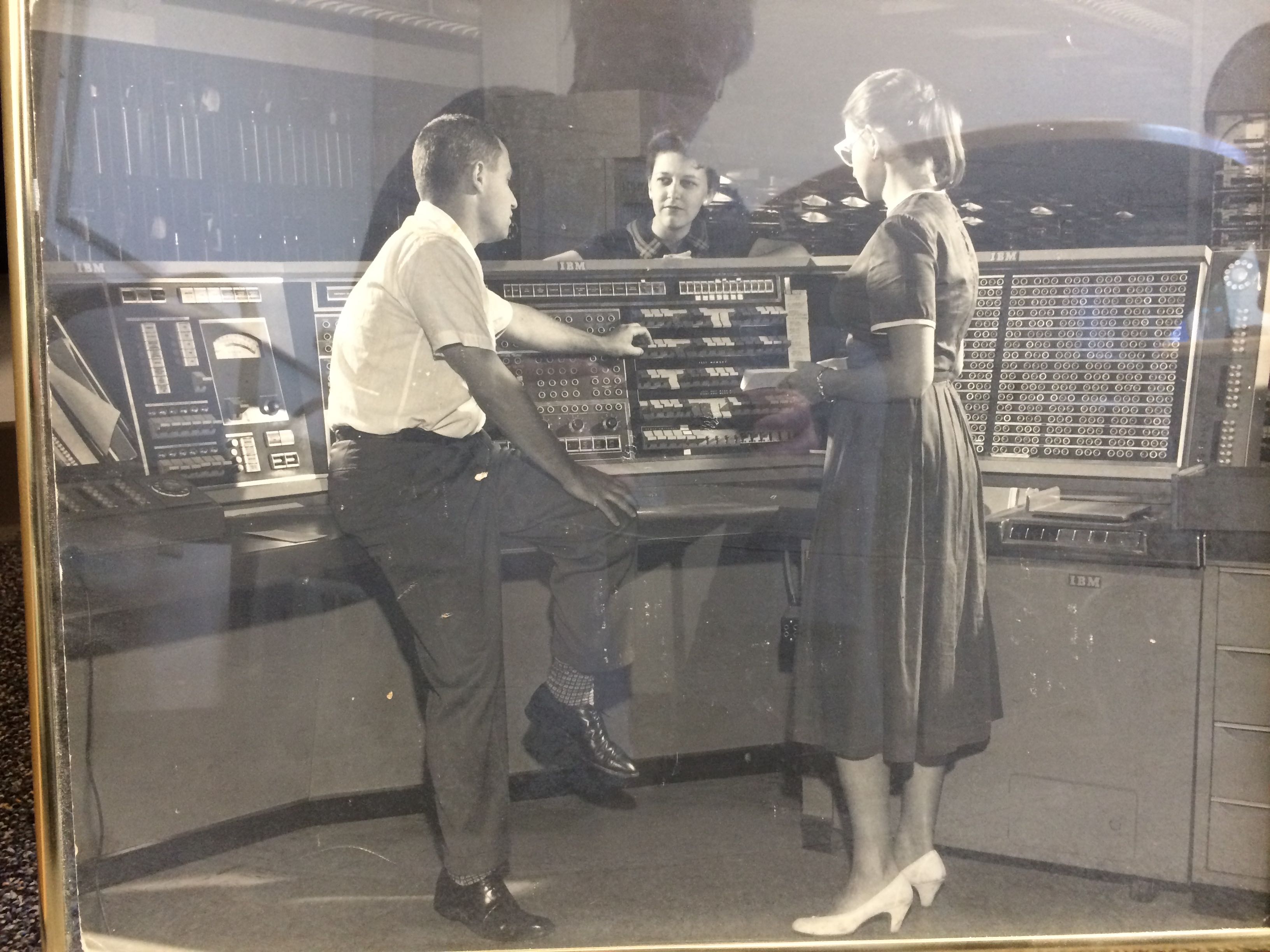
Answer» Clearly this is an old IBM computer but I can't figure out exactly what model it is. I'm wondering if someone might recognize it. I believe the gentleman in the photo is Jules Schwartz of JOVIAL fame. Why not ask IBM and include the pic ? ? Awesome idea.... They might be interested in that picture if they dont have one of it. Also to mention that... some systems back then deviated from standard build. They would be build to order, so it might be a variant of 704 or 709 etc. Whatever a company or organization with LOTS OF MONEY needed, a system could be specially engineered and built for it since money talks. Computers and Mainframes were not mass produced back then. They were great big monsters with lots of relays and tubes and a very hungry electrical power need. I havent looked into population reports of systems back in the 50s, but if I was to make an educated GUESS, i would think that there might be only a few hundred of these monster computers tops. The US Government for Defense having greater portion of them. And only the giant banks and engineering firms being the rest of the population + the larger colleges that had the funding or donation of such great monster computer/mainframes. I read in a BOOK once that one computer used so much electricity and due to relay logic, ( de-energized relays dont consume power but energigized relays do ), and so it caused an unusually heavy power demand at times if more relays were energized than de-energized and so it made peoples lights flicker as the line voltage would dip from excessive current needs. When I worked for Allen-Bradley / Rockwell Automation there were some customers that wanted their own specific product and so they had a variant of a standard Intel i960 micro controller with specific firmware for their needs as well as board mods to make the controller to their spec needs. Money Talks and odd builds become of it. Part Numbers would be almost the same as the standard product but have a DIFFERENT number or letter in part number to identify it as what it is. These were low production for specific customer. Where as the IMC S-Class CONTROLLERS they made tens of thousands of them with other flavors that were standard options and some options quickly implemented by swapping firmware and installing or removing such as an Axis-Link or RIO Card. Never knew you worked for A/B Rockwell.... Quote Never knew you worked for A/B Rockwell.... May 1995 to October 2001 as an ET for Service Department and Production Test & Repair for mostly IMC S-Class & 1394 Crusader ... smaller production boards were PWM A3, PWM C, PWM D, MAX Boards, SAM Boards, Resolvers, Transducers, Picopath CNC Plasma Cutter controls, Micrologix PLC. IMC S-Class Controllers = http://literature.rockwellautomation.com/idc/groups/literature/documents/td/4100-td023_-en-p.pdf The PWM C and PWM D's were the most fun I think to service because when they failed on 48VDC or 90VDC when switching a large motor from clockwise to counter clockwise at 100% speed it made a load pop and shower of sparks like a roman candle blowing a hole the diameter of a 22 bullet through the heavy duty power MOSFETs like the one pictured in which there were I think 6 of them mounted to the board and angle aluminum heatsink and the analog components like 1/4 watt resistors and diodes catch fire, and the lovely smell too. We had to run the boards hard after repairing them and sometimes a borderline analog component from the prior failure made its way to the repair and BOOM when full reversal. If you could switch direction of the large DC motor and not blow it then it was good to go. I brought in a piece of plexyglass from home and stood back when testing these. Very rarely did they blow because I was good at fixing them, but when they did you didnt want to get showered with sparks and slag from the MOSFET failure. [attachment deleted by admin to conserve space] Quote from: DaveLembke on June 17, 2017, 05:35:33 PM 48VDC or 90VDC when switching a large motor from clockwise to counter clockwise at 100% speed it made a load pop and shower of sparksDC motors. Fun. Lots of unruly energy. My dad was an electrical engineer. he told me about the old days, he qualified after WW2 but he saw plenty of old industrial installations from the early days still around. Big open frame motors, 100 HP upwards, 500 V DC, controlled by open starter gear and bare knife switches mounted HIGH on the wall on slate panels operated by a long pole with a hook on the end (so a brief arc wouldn't trouble the operator too much. That was your Health and Safety). Switch men were men in those days! If a switch was opened and an arc persisted they had wooden paddles also on poles and the idea was to try to interrupt the arc with the wooden (non-conductive) blade. This could be tricky because as welders know you don't want to look at an arc if you value your eyesight. The canny guys kept a pair of smoked glass googles handy. Also they would have a lot of incandescent melted copper and brass dripping down while they were fooling around with the paddles which might well catch fire. Sometimes the only thing to do was vacate the switch room and get the main incoming supply breaker opened. Then you might have to wait for the AC-DC rotary converter to run down before the arcing would finally stop. A flashover in a big motor could be dramatic too. He showed me a report on the death of a guy who was walking past the open doorway of a building at the exact moment a flashover occurred in a big motor inside. All his clothes were blown off, he didn't have a mark on him, and the postmortem showed he died of blast injuries to his lungs like a high explosive bomb had detonated. |
|
| 2383. |
Solve : Need help with uninstalled update for my smartphone? |
|
Answer» I purchased this Moto g4 plus smartphone recently. A message came up saying that there was an update that was needed to be installed from Motorola. I downloaded the update and after it was completed I hit the icon that said "install" on it. After 10 minutes a message came back saying: Start up Failed. Your device didn't start up successfully. Use the Software Repair Assistant on computer to repair your device. Connect your device to your computer to get the Software Repair Assistant.Below that it says: AP Fastboot Flash Mode (secure)failed to validate recovery image. ERROR Failed to pass validation.backup to fastboot. Fastboot |
|
| 2384. |
Solve : If I change passwords on gmail can someone access on laptop w/prev pwds?? |
|
Answer» Working with a nightmare client. Had injured my back prior and so she said leave your laptop here and save your back. So, I said um ok. I left it there and the next morning I was puzzled to get an EMAIL from her from my own email account! She said blithely (as I hadn't completely twigged that she had done that, I had just gotten an email from 'me' from her!) 'oh your email was still open and I am paranoid now about my email so I used yours'. How mindboggling is that? Anyway, because I am easygoing and because I DONT have anything embarrassing on there , I didn't say anything. Anyway, so now she is threatening not to pay my invoice and still my laptop is there. So, I think I already know answer to this, as laptop will go to sleep, and gmail doesnt stay open indefinitely right ?, it needs to be relogged in. So, I went and changed all my passwords on all my accounts and just wanted to know unequivocally whether she will have ACCESS to my accounts now that i have changed the passwords off site? she said leave your laptop here and save your back. So, I said um ok.Seems like the problem is PEBCAK. |
|
| 2385. |
Solve : Microsoft Clean Windows 7 Install - After update Microsoft Support Scare Tactic? |
|
Answer» So I installed Windows 7 Home 64-bit clean to my one system that needed a clean install after 3 years of use in which it started to have some issues after games installed and uninstalled etc. Upon install after activating Windows 7 online, it performed a few updates and then I was greeted with this screen attached after reboot of first batch of updates. The way that it is worded it can be misinterpreted as Windows 7 no longer supported and its best to upgrade to Windows 10 with a line as strong as "You are no longer receiving Windows Update security fixes that can help protect your PC from harmful viruses, spyware, and other malicious software." with the message stating as quoted below in full. To the lower left you can see the option to tell it to manually update to Service Pack 1 in which Windows 7 would not be out of date and a 190 updates await you after going this route vs venturing on to upgrading to Windows 10 through pressure/scare tactics. They are bending the english here with "Your PC is running an outdated version of Windows 7". As for YES its outdated because its SP 0, but by which after installing SP1 it is still supported until 2020 as per. Microsoft ended mainstream support for Windows 7 on January 13, 2015, but extended support won't end until January 14, 2020. And after fully patched its secure still. SORRY to Interrupt, but this is important. [attachment deleted by admin to conserve space]The supposition is probably that somebody still running a version of Windows 7 that hasn't received security updates since 2013 is probably easier to encourage to switch to Windows 10 because they probably aren't particularly Computer Savvy. I don't think it's a problem myself as it does still allow you to install SP1. If there was no way to install SP1 or saying "remind me later" meant that it automatically installed Windows 10 later, well, that would be another story but that isn't how it works as far as I'm aware. Hi Dave Recently had a new Windows 7 installed. I did not get the message you did, but when I turned the machine off, it told me I have 198 updates to be installed. Can I assume I will not have an issue at least until 2020? Other than that, I also have an issue with my e-mail account. Where would be the right place to post a question about that? Thanks Jeff Quote Can I assume I will not have an issue at least until 2020? Issues can always happen. As OS ages and new flaws found, if the flaws arent patched then, your susceptible to WHATEVER exploit or flaw. Never any guarantee in anything not having issues, time will tell I suppose. Quote Other than that, I also have an issue with my e-mail account. Where would be the right place to post a question about that? More info would be helpful on this MATTER. Who is the e-mail service through and what problems are you having? Does this problem only happen on this one computer or on others as well to where its an account issue? For what it s worth... A number of credible web sites are saying, in effect, Microsoft wants to ditch Windows 7 for the wrong reasons. It is not because of some flaw in the Windows 7 design. It is about what Microsoft wants to do. Here are some links that, IMO, imply that idea. http://www.infoworld.com/article/3153213/microsoft-windows/how-to-hang-on-to-windows-7-for-the-long-run.html Quote If Windows 7 represents peak Windows for you, you’re not alone. Twice as many people use Win7 as use Win10, even after 18 months of Microsoft pressure to get you to give up Win7 and jump to the shiny new version as your operating system of choice. https://www.drivereasy.com/knowledge/windows-7-update-not-working-hangs-at-checking-for-updates-solved/ Quote This problem has been bugging a lot of Windows 7 users for a very long time, and users are still complaining about Microsoft not solving it today: users cannot go pass the Checking for updates window and go into the Downloading updates part. In this case, it becomes impossible for Windows 7 users to update the newly released update packs or patches from Windows, which could be a severe risk if the released pack is vital to certain BUGS. http://bgr.com/2017/01/18/windows-10-upgrade-7-security/ Quote In a new blog post by Microsoft Germany, the company warns users that keeping an iron grip on Windows 7 is a really bad idea. Windows boss Markus Nitschke suggests that the aging operating system “does not meet the requirements of modern technology, nor the high security requirements of IT departments,” adding “With Windows 10, we offer our customers the highest level of security and functionality.” https://www.lifewire.com/patch-tuesday-2625783 Quote by Tim Fisher The link below claims that the Windows 7 updates does harm to your e-mail. https://support.office.com/en-us/article/Fixes-or-workarounds-for-recent-issues-in-Outlook-for-Windows-ecf61305-f84f-4e13-bb73-95a214ac1230 Quote Fixes or workarounds for recent issues in Outlook for WindowsBut it is not clear if it was the Windows 7 update is related. |
|
| 2386. |
Solve : Leaving Computer ON 24/7? |
|
Answer» I read some years ago that it is actually better to leave your pc on rather than turn it off daily. I do not know if that's really true and thought I better get the info from you experts! I don't want to harm my pc! Thanks!There are pros and cons for both options. Whatever works best for you is fine. Personally, I've always shut down my systems at the end of the day.I think deciding WHETHER to run a PC 24/7 can depend on whether you have householder responsibilities like paying insurance premiums and power bills. My home fire insurance specifies unplugging non-essential electrical devices when on I'm away for more than 7 days. I don't think I could show, in the event of a fire caused by an unattended PC, that having it running was "essential". Supposedly computers last longer with less stress from being turned on and offI think I have heard tales of old server hard drives that might not survive a power cycle... better not to risk it... Also I read about an early computer (the Whirlwind? I'm not sure) that had thousands of vacuum tubes and a certain percentage would fail on power up (like filament bulbs - remember them? - used to) anyhow it was the property of the US Navy and was guarded by the Navy equivalent of MPs who told the civilian computer scientists that regulations for electrical plant said it had to be powered down each night when left unattended... they got so tired of the work this caused they got a special dispensation. Everybody is right. There is no real good reason to leave you PC on on turn it off. Except one. If yo want it off, turn it off. One of too many: https://www.zrsystems.com/news-a-events/blog/tip-of-the-week-should-you-leave-your-pc-on-or-power-it-down-1 He does not give a strong answer. Quote After considering all of these different factors, only you can know if it’s best to turn off your PC at the end of the day, or keep it on. Whatever you decide, ... T So, we have here a form of three state login. True, False and Neither one. EDIT: There is trend to have everything turned on; TV sets, Coffee makers, Smart Phones and anything the can go into automatic hibernation mode. There's basically 2 answers...you can turn it off...or leave it on. |
|
| 2387. |
Solve : Battery failure...battery replaced. Still says fail? |
|
Answer» So my laptop battery failed. No big deal. Bought a new one and popped it in. Turned my laptop on after days of it being DEAD and it still says the battery has failed and even though the batter says it's fully charged, my laptop will shut off when I unplug it. It's a dell with windows 10. I don't know what to do. First off ... Is the laptop new enough to be covered by any warranty? |
|
| 2388. |
Solve : Google: Pay Attention to Older People.? |
|
Answer» This rank is directed to Google and the others who ignore the needs of older people. Bu the way, Why can't Chrome run in XP? Other lessor companies have no trouble using XP. What is wrong with Google Chrome? Are you too busy to address the needs of a small group of us that need XP because it is easier to use? Windows XP is currently twice as old as Windows 3.1 was when Windows XP was released. Current versions of Firefox don't support Windows XP either. Supporting Windows XP means more testing, certain features either cannot be used or must be conditional. Every new feature, update, or even bugfix ideally needs to be tested on all supported platforms. More trivial applications are easy to have support older platforms. There is far less conditional logic, and adding older platforms doesn't add much time when testing. But for larger applications (And browsers definitely qualify) verification and testing is a time-sink, one which must be repeated (or at least should be repeated) on all supported platforms, and on various supported configurations- for example it's arguable that iit's not enough to test on Windows 7 and Windows 8 for Windows 7 and 8 support- it has to be tested on both platforms on a number of different DPI settings, with multiple monitors, lower and higher resolutions, and so on and so forth. Supporting a platform without good reason is throwing time and money down a hole. It just doesn't make sense to reach back to Windows XP for that testing unless there is a very, very, very good reason. Chrome and Firefox running on Windows XP would be like MS Office 2000 supporting MS-DOS!Your arguments are sound. Allow a metaphor. Not really a good metaphor. Think about automobiles and Older people. Many older people prefer a newer car if it is comfortable, safe and easy to drive. The steering wheel is in the same place. The instrument panel is about the same. Often still analog, or looks like analog. In fact, many will admit that the older car they left was not as easy and safe. Windows XP started August 24, 2001. So it is over 16 years old. The average age of Automobiles is about 11 or 12 years. Why does software age faster than [automobile] hardware? https://mygaming.co.za/news/pc/116211-this-is-how-many-people-are-still-using-windows-xp.html Quote windows-10 The above link goes on to state that Windows 7 has a 48 % market share and Windows 10 has about 25%. But Windows XP at about t 8.5% is above Windows 8.1 at just under 7%. So if market share means anything, just imagine Microsoft dropping Windows 8.1 because of its poor market share. Now if I were a developer, but I am not, I would think more about giving support to the XP users rather than the Windows 8.1 users. Going further with that kind of thinking, Microsoft should cut back on Windows 10 development until more people show an interest in it. Windows 7 is the current leader. As for Vista, yeah, they had to drop it. Hasta la vista, Vista. After almost two years, I still have a hard time with Windows 10 and I get an upset stomach trhying to tolerate its unfriendly desktop. Not sure where your gettin your market share specs from.... It's likely PCMag though which you are prone to quote ad naseum in the News section... They stopped bein a relevant source approx 20 years ago...give it up,Patio, these numbers are dated. Sorry. This looks to be more up to date and agrees with other publishedn data. https://www.neowin.net/news/windows-xps-market-share-takes-another-hit-as-windows-7-and-10-rise By Usama Jawad · Apr 1, 2017 Quote Last month, we learned that Windows 10 commanded a market share of 25.19%. The latest statistical report from NetMarketShare reveals that the operating system has now grown in market share along with Windows 7, while Windows XP has taken another hit.Then it goes on to say: Quote Thankfully, Microsoft's now ancient operating system, Windows XP, has faced a decline in market share for the second consecutive month; it currently sits at 7.44%. On the other hand, Windows 8.1's market share has also decreased to 6.66%.Why does she think that is good? It could mean 7% of the marker just can not use Windows 10 and never will. Quote Surprisingly, "Mac OS X" 10.12 has continued its impressive rise and now sports a market share of 3.22%. The "Others" section has declined to 7.90% - compared to 8.17% in the previous month.Mayne I should try Apple OS ten - I mean OS X. Quote a small group of us that need XP because it is easier to use?I didn't actually mention this from the OP because it wasn't really your main point. What about Windows XP makes it easier to use? Later versions of Windows do not lack any of the accessibility features, so I am left to conclude that it is easier to use simply because you don't have to learn to use it. I certainly hope the suggestion is not that those of an advanced age are incapable of learning! Otherwise it seems like using XP is a choice rather than a need. Quote from: BC_Programmer on June 09, 2017, 09:42:50 PM I certainly hope the suggestion is not that those of an advanced age are incapable of learning!I don't know if counts as "coming out" about my age, but I am now 65, and it really pisses me off when people assume that because I am at retirement age I am an IT nincompoop. I call it "youngsplaining" (by analogy with mansplaining) e.g. when they tell me what Python or Linux are (and get it wrong). By the way, if text is too small, perhaps because I am too idle to clean my eyeglasses, I just hold down Ctrl and tap the + key on the numeric keypad (works for most browsers and all my favourite editors). I've found a lot of younger people who are completely incompetent when it comes to tech. At least with older less young people who weren't interested or exposed to technology, they generally say as much; meanwhile some younger people who grew up with the tech seem to think they are experts because of that. I'm sorry but no I don't think you should start a PC repair BUSINESS because you are "good at installing apps". Nor can I "put in a good word for you" because you learned how to use "Fill Down" in Excel. I can only imagine some of the results of the new generation of the non-technically inclined thinking they are IT experts. However I would not be surprised to see them pull out a Woodwind Recorder during a C# Interview. Quote from: BC_Programmer on June 09, 2017, 09:42:50 PM I didn't actually mention this from the OP because it wasn't really your main point.Later versions of Windows do not lack any of the accessibility features, Really? Are you sure? Many vision impaired people have to fin-tune colors and font and contrast personally. The is no on-size-fits-all or anything even close. It looks like Microsoft got rid of the people that did accessibility for Windows XP. Where are these features now? 1. How do I enlarge the mouse mouse pointer? 2. How do I find the find the mouse pointer? Hold the ctrl key? No. 3. How to I adjust font ans size of icon titles? 4. How do I choose any color I want for the desktop. 5. How do I make text black on modest color background? On my Windows 10 I only only get text k on flame orange or sky blue. So I settled on the orange flame, but it brings on visual fatigue after about 30 min of use. If there is a page where Microsoft or anybody explains all the visibility options, pleas tell me. I want to use Windows 10, but it has a disability. It is stupid. Quote from: Geek-9pm on June 10, 2017, 03:50:57 PM Later versions of Windows do not lack any of the accessibility features, I'd guess you are referring to the "Visual Effects" dialog? That was for customization, and wasn't intended to be used for ease-of-access. Win10 has several High Contrast Themes. Quote 1. How do I enlarge the mouse mouse pointer? By changing the Mouse Pointer Scheme.... Same way as you do on Windows XP: Windows 8 and Later also adjust the size of the Mouse Pointer based on the current DPI Setting. Quote 2. How do I find the find the mouse pointer? Hold the ctrl key? No. "Show Location of Pointer when I PRESS the CTRL Key". Again, setting is in the same place as it was on Windows XP. With Win10 you have to click the "Additional Settings" Option on the new Control Panel Interface to access the property pages. Quote 3. How to I adjust font ans size of icon titles?You can change your System DPI. You could also use the built in capability to change Title Bar Text Sizes. From Windows Settings, System, Display, then "Advanced Display Settings" on the right pane. "Advanced Sizing of Text and other Items" is present in the "Related Settings" at the bottom: Font sizes can go to 24 here, and that also scales with the system DPI. Quote 4. How do I choose any color I want for the desktop.I'm not sure what you mean by this. If you mean the background you can do that in the expected location- same area which allows you to set the background wallpaper, or in the Theme Settings. Now, it looks like they reworked some of this area of Control Panel, so perhaps fully custom options aren't available anymore (I can't seem to find them), though you get a not-wholly awful selection of colours. Custom colors definitely are possible, as I have custom options set for both. Quote 5. How do I make text black on modest color background? There are a few High Contrast options in the themes. These change the Title Bar appearance. You can change the Accent Color as well, which can be set to change the title bar colour. (This used to have a fully custom option but seems they removed it- I'm set as a custom colour and yet can't find where I did so!) Quote I want to use Windows 10, but it has a disability. It is stupid.It's certainly no harbinger of good design, with it's mishmash of old and new control panels, having to hop between them, and updates often shuffling things around; And the lack of the full Visual Effects dialog capabilities to customize pretty much everything down to specific fonts, colours, sizes, etc. is hardly great- We should be able to change things like the title bars font face or the font of Menus or whatever without resorting to registry hacks. Nonetheless, many of the things you were looking for were actually in the same place as they were in Windows XP; all that changes is the method of getting to those options. It's possible that many of these capabilities in Win10 were added SINCE you last used it, as I remember the earlier releases being rather scant on many of the customization options. Thank you very much BC. I have looked for those things for a year and never found them. In Windows XP the ENTRY point was in accessibility. Windows 10 did not let me know there were other places I could go to make visual adjustments, so I thought they were not there. Back to topic. My greater criticism is with Google, not micros ft. Google does not have, IMO, any good reason to ignore or threaten millions of Windows XP users. It almost seems like Microsoft and Google are in a secret collusion** to wean users to Windows 10. Would that benefit Google? On the other hand, Kudos to Adobe for keeping a version of Flash that can be used on Windows XP. So I can watch Netflix on my Windows XP without the need to reboot into Widows 7 or Windows 10. ** Footnote. col·lu·sion kəˈlo͞oZHən/ noun: collusion secret or illegal cooperation or conspiracy, especially in order to cheat or deceive others. "the armed forces were working in collusion with drug traffickers" synonyms: conspiracy, connivance, complicity, intrigue, plotting, secret understanding, collaboration, scheming "there had been collusion between the security forces and paramilitary groups" Law illegal cooperation or conspiracy, especially between ostensible opponents in a lawsuit. Anyway, I would use Chrome more if they would at least stop telling me Windows XP is just too old. I don't like it when people brush me off because of my age. I respect XP for the way it has held up to old age. (But I will go to Windows 10 hen I get the visual effects right.) Quote Google does not have, IMO, any good reason to ignore or threaten millions of Windows XP users. It almost seems like Microsoft and Google are in a secret collusion** to wean users to Windows 10. Could you perhaps explain this further? I don't see how no longer supporting Windows XP in Version 50 and later is in any way encouraging users to use Windows 10. Seems that it is rather trying to encourage people not to use an 16-year old Operating System and which no longer receive security updates, and washing their hands of attempting to keep Google Chrome from functioning on that OS due to the additional support, development, and testing effort required. There are three other Windows releases that are not Windows 10 that are fully supported for now. When Firefox dropped support for Windows 98SE in 2008, did it "almost seem" like a secret collusion to push people towards Windows Vista? The message in Google Chrome is advising that they stopped releasing any updates to Google Chrome on Windows XP in April 2016, and thus your use of the browser is at your own risk. Quote I would use Chrome more if they would at least stop telling me Windows XP is just too old. I don't like it when people brush me off because of my age.Dropping support for Windows XP is in no way brushing you off because of your age, it's avoiding supporting an older Operating System, not older people. You logic is sound. Sometimes I do use Chrome. When I want to Chrome cast, I boot up Windows 10 and start up chrome. That is one important area where XP is just behind the current stuff. Which might go another topic. The PC use profile is changing. It is now a part of a larger communications, entertainment and personal digital assistant world whit interactive visual effects that will go way beyond what you can do with just a monitor. Older operating systems will not hold up in the new cyber frontier. Meanwhile, I am in a rut trying to get up to speed with Windows 10. I've worked in software development for the past 31 years and the reason software companies push people to move to newer versions of their software is because it is expensive to support those previous versions. A company would much rather use their highly paid developers to create and maintain newer versions than have them maintain older versions THAT PRODUCE NO INCOME. Excellent point ! Quote You can change the Accent Color as well, which can be set to change the title bar colour. (This used to have a fully custom option but seems they removed it- I'm set as a custom colour and yet can't find where I did so!) BC...isn't this enabled if you go to create your own Theme in personalisation ? ? I think thats wher i found it...but i'm back to a stock theme... |
|
| 2389. |
Solve : The Freedom to Cheat and Steal.? |
|
Answer» Hey, this is off TOPIC. About a year ago, I WROTE about FreedomPop's new data service and shortly thereafter signed up for an account. I opted into the Free 500 MB plan, which offers half a gig of data per month, with additional data available at US$20/gigabyte billed in $2 increments.Scam? FRAUD? Hard to say. He kept the service for a year and reports that it did work. However, the claims made in the advertising are rather extreme. Please read over the link above and tell me what your opinion about the marketing methods use by that company. In what way is Freedom Pop cheating or Stealing? Seems to me, they deliver EXACTLY what they claim to deliver. Quote from: strollin on June 11, 2017, 01:18:25 PM In what way is Freedom Pop cheating or Stealing? Seems to me, they deliver EXACTLY what they claim to deliver.Thank you, strollin Granted the service Freedom pop offers is very low cost compared to almost anything else. The advertising uses the word Free a lot. This leads some simple fold to think it is free. I am that way. When I see the word 'free' I think it must be free. From the article, one has to pay a deposit of about $28 on the device and thne opt out of the premium plan. The you get a 'free' plan will cost about $8 per month over a time span of one year. Put another way, you pay at the start and ten after taht it will be free if you stay below the 'free' use level. Only after reading the article above did that become apparent. And it took the author year to find out. In my way of thinking, you should not have to wait a year to understand what kind of contract our have. Must be that my way of thinking is out-of-date. Yet in other areas government regulators come down hard on advertisers that make claims the confuse or do not clearly represent the true cost of a product or service. So maybe the Internet is an exception. On the Internet is is normal to mislead people. Especially if you have a service that is REMARKABLE. If you service is outstanding, go ahead and cheat and steal a little bit. Come to think of it, is that not the the same kind of thinking Microsoft uses? Quote From the article, one has to pay a deposit of about $28 on the device and thne opt out of the premium plan. The you get a 'free' plan will cost about $8 per month over a time span of one year. Put another way, you pay at the start and ten after taht it will be free if you stay below the 'free' use level. The Deposit only applies if you get their equipment. If you switch your existing smartphone/device to their service there is no direct cost as far as I can tell. There are a lot of things I've already found that seem to address the authors problems. It is possible to have access simply cut off when you reach the limit of the free plan, for example. The service is largely "Freemium". Saying it is false advertising is like saying it's false advertising when a grocery store has a promotion where any customer can get one free steak- saying "it's not really free" because you can't take two steaks seems to miss the point.Geek has had a bee in his bonnet about that Freedom Pop OUTFIT for some time, I think? His Post priviledges in the News section are close to being revoked... Check his last 10 Topics... Quote from: patio on June 11, 2017, 04:07:07 PM Check his last 10 Topics...100 more like. |
|
| 2390. |
Solve : Best routine for backing up multiple machines?? |
|
Answer» Right now I'm manually removing the hard drives and copying the files for backups. This seems like maybe it's not the best solution. We have several licenses for Acronis , but I don't think we want to buy the license for every PC we have here. So I'm looking for opinions on a better way to backup multiple machines. ....Sounds good to me. Old PCs make good file servers, print servers, an network attached storage bxs. |
|
| 2391. |
Solve : Act now to save net neutrality and stop widespread throttling, blocking, censors? |
|
Answer» Facebook, Twitter, Amazon, Medium all raised to support “Day of action to Save Net Neutrality”. We should ALSO support the idea and become the part of the bigger picture. |
|
| 2392. |
Solve : Gmail Hacked any solution? |
|
Answer» So, one of my friend's gmail account was hacked. Dont know how that hacker did it but that good for nothing chickenwuss has now added the security layer like phone verification as well. |
|
| 2393. |
Solve : Replacing capacitors? |
|
Answer» Hello The typical temperature range for aluminum electrolytic capacitors is –40 ºC to 85 ºC or 105 ºC. Capacitance varies about +5% –40% over the range with the capacitance loss all at cold temperatures. Capacitors rated –55 ºC generally only have –10% to –20% capacitance loss at –40 ºC. One suggestion I have is ..... Its likely safer to just buy a new of whatever this capacitor goes to as for the risk of injury or death by electrocution or fire is present. -Some circuits have a drain resistor which will effectively drain the capacitor when there is no input power. Others don't. Shorting the two connections before fiddling with it is a reasonable PRACTICE either way. -When replacing capacitors you can use a capacitor of a higher capacitance, but you'll want the same voltage and a temperature range that is either the same or wider than the original part. -400V is pretty much only found in Switched Mode Power Supplies. Are you trying to repair a power supply? Don't. Even if the cap has failed, it's unlikely that it is the only FAILURE point. replacing it would likely just blow the replacement as the original was likely to have failed due to another component failing first; which may be from another component, and so on. Repairing components like that requires either a lot of trial and error (and a lot of busted replacements) or a level of expertise that would mean diagnosing the circuit via circuit diagrams; and frankly somebody with that ability wouldn't be asking if you can replace one cap with another of lower capacitance. Quote from: DaveLembke on June 29, 2017, 03:59:30 PM I short them with a insulated screw driver between their 2 legs only and not to anything else, and usually get a small spark where it might still have a charge and sometimes nothing so it drained safely.Use eye protection when discharging capacitors STORING large amounts of energy. Better stil, make a probe with a 1 megohm resistor. I made one for colour TV CRTs. I once shorted the capacitor in a small, consumer-grade electronic flash meant to fit on the hot shoe of an SLR camera. It was a 400 uF 350 V electrolytic. It hadn't been been used for weeks. There was a bright flash, and a sound like a pistol shot. A fair amount of smoke. The blade tip of the screwdriver was half melted away. Looked like it had been bitten off. Vapourised and melted steel had flown a foot or so on the bench, shown by burn marks. If anyone is interested, the amount of energy in Joules (or Watt-seconds if you prefer) stored in a fully charged capacitor is GIVEN by 0.5 x (CV squared). In the brackets that's C in farads multiplied by the square of the voltage!!! So as the voltage gets higher the stored power increases exponentially. Around 10 to 50 Joules in a typical flash capacitor*. If you discharge it in a few millseconds that's a lot of Watts in the flesh of your hand or across your heart. Even more at the tip of my screwdriver! *Tasers deliver around half a Joule per pulse, Most of those used by law enforcement are slightly less, around 0.3 J. Also, capacitors can 'recover' after being discharged a first time, so do it again after a few minutes. |
|
| 2394. |
Solve : Cpu fan error. Need help? |
|
Answer» Hi may I ask how do I resolve this? |
|
| 2395. |
Solve : Happy Birthday to no one ! !? |
|
Answer» Only the 2nd time i've seen that on here... |
|
| 2396. |
Solve : Suggestion for a weather website without clickbait that loads fast?? |
|
Answer» Was wondering if anyone knew of any good weather websites for looking at radar and other info quickly as for I have had it with www.weather.com which has become a bloated mess of lag and click bait. Looking online to see if the problem was at my END, the problem seems to be clearly an issue with the website. Was wondering if anyone knew of any good weather websites for looking at radar and other info quickly as for I have had it with www.weather.com which has become a bloated mess of lag and click bait. Looking online to see if the problem was at my end, the problem seems to be clearly an issue with the website.I like to use the national weather service's website. http://www.weather.gov/ https://radar.weather.gov/radar.phpWeatherUnderground covers all that dat...and more at their site... |
|
| 2397. |
Solve : This is about Moore's law.? |
|
Answer» In the electronics industry people sometime quote Moore's law as if it was a solid principle of atomic physics. Well it's not really about atomic physics, rather it is about the growing rate of electronic micro chip technology. I think this was copy/pasted....no way you wrote this.Thanks for the compliment. Dictation, patio. Red carefully and find my TELLTALE grimmer grammar kinks, - which is my proof of authorship. I've seen tons of your dictation...this is not 1 of those...So I am getting better! That makes me feel good. I have been spending almost a week or so going over some of the stuff out there about the slowdown of the industry. Because of market things, the industry might slow down, but raw research and development are still very healthy. I did not copy and paste anything. It was from what I remember and and from my own musings. After the dictation, I still had to do some proof reading and still there are a few things that did not come out the way I was thinking at the time. Here is a link that gives a mature look at the whole idea of how chip technology keeps on growing despite some limitations that Intel has recently found. I found this article after I did my dictation. https://www.burrus.com/2017/03/new-moores-law-put-chips-whats-possible/ The author is Daniel Burrus, who has been in the Silicon Valley for a long time. Here is part of what he says: Quote But to my mind, the purported phoenix like rise from the ashes of one of technology’s best-known principles really misses the mark so far as anticipatory thinking is concerned. We NEED to be asking more pertinent questions and looking at bigger issues that COMMAND greater attention. Wish I could have said that. Then you are in fact improving...keep it up. |
|
| 2398. |
Solve : Nixie Tube Creation - Pretty Cool. More work than I ever expected? |
|
Answer» Found a cool video of this guy who created a MODERN nixie TUBE business. And he shows all the STEPS INVOLVED in making the tubes and testing in the end. |
|
| 2399. |
Solve : Motion Triggered Camera Security software? |
|
Answer» I got some IP Security/webcams as well as USB webcams and was thinking about setting them up around my home, but instead of recording hours and hours of nonsense, I want to only record when motion is detected. I got some IP Security/webcams as well as USB webcams and was thinking about setting them up around my home, but instead of recording hours and hours of nonsense, I want to only record when motion is detected.Is this the resewn for your project? What is your problem with "ecording hours and hours of nonsense" as compared to a hard to solve puzzle. You can process the video files later to compress the files to reduce redundant frames in the video stream. You can get reduction in file size by a ration over100. Also, you may wish to destroy all video after 20 days. Quote Is this the resewn for your project? Well ... the reason why i dont want to record a room or outdoor setting that nothing happens in it for hours and hours, is because it seems kind of lazy and why make more work for myself when something does happen I now then have to endure fast forwarding and staring at the screen waiting for the moment that something happens to stop it and play it at normal speed to then observe. Lazy as in there are ways to have software detect when movement happens when pixels change a certain way to trigger to record then and only then. Additionally, by only recording when motion is detected by the cameras sending the info back to a computer, I could make use of laptops that arent up to par for gaming anymore that are in storage that are otherwise good healthy laptops and that 160GB or 320GB hard drive with the majority of the drive empty other than the OS, wont overflow with video data when only recording when there is activity. So I wont have to buy a 3TB hard drive for example because I wont be wastefully recording nonsense, but only recording when something actually happens. Years ago a friend of mine in IT had some software that came with his webcam that was USB and he had it set up on his desk to only record when motion was detected to then record until the pixels went back to solid background with nothing happening in view. He was able to figure out who was stealing his chocolates from his desk. It was a cleaning company contracted worker that cleaned nights. They were snooping in desks and taking stuff such as pocket change, stationary post it note pads, and candy. He didnt have to endure hours and hours of watching nothing happening to then stop the video to play at normal speed when the action did happen. The days of recording non stop to me just seems like past practice habit. Back before motion detection was affordable when it was set the camera to record non stop among a bunch of magnetic tape VHS etc, that either required a person to swap VHS tapes at timed intervals or was an automatic switch over with a unit that handled multiple tapes and those tapes would then overwrite or be saved for a period of time with new tapes loaded by someone. They might have even had some that were a constant loop in which the length of the tape large enough to record say 12 to 24 hours and not end in a spool type that is the same as the path that 8-track tapes had inside where the take up is the same as the feed reel in an endless loop until the tape is eaten. Lastly... I can check the security footage quickly if only motion events are recorded and not have to fast forward each time I want to take a look at what happened outside the home while we were away, such as,.... did any strange vehicles visit and are they scoping out the home to come back at a later point and rob us. People have been reporting strange vehicle activity as these druggy burglars are sort of smart in that they dont just blindly target a residence but they are driving around and making observations and likely WRITING down in a notebook easy targets that are spotted. One home that was cleaned out with a U-haul, the neighbors thought the people were moving. Their home was on the market with a sign. And a crew of crooks came in knowing that the owners were away because they did their homework, and cleaned the home out and drove off and the neighbors didnt call police and thought the home sold and they were moving out. Another home a neighbor spotted a car with out of state plates parked unusually with some people inside a few nights but didnt think anything of it, then 2 days later a few homes of people who worked nights were robbed a few towns over. This winter a jeep was going around with a plow and PULLED into peoples driveways and looked like it was a HIRED plow truck at night, another occupant would get out and sneak up to the house and with the noise of the plow scraping on the driveway the breaking of the window of a door to gain entry was hidden among the noise. The jeep would leave and come back after 15 minutes and the other guy would get back in and they would drive off with stuff the guy grabbed while the other guy was driving around for 15 minutes. Which was a very unusual team of burglars. They got busted and it was found out that they both were drug addicts and needed to steal to pay for it, and they came up with this plan to go out nights that an inch or so of snow fell and plow and let passenger out and then come back later to pick up the passenger and only tire marks and the small pile of snow from the plow left behind. They also did their homework and knew which residents to hit that didnt have dogs and weren't there nights because they all worked graveyard shift. The way they got busted is that they hit too many houses doing the same thing, and so neighbors sharing with cops that the night of the burglary and unusual jeep plowed the driveway, lead to the police being able to narrow it down pretty quickly because few jeeps have plows to plow, if it was a truck with a plow on it it would have been just about anyone, so many people in New England have plows on their trucks... but very very few have them on jeeps, but the police knew to look for a jeep with a plow on it and so they stopped a jeep with a plow and searched the vehicle and found a boat load of drugs and a few stolen items in glove compartment which pieced these idiots back to the crimes. |
|
| 2400. |
Solve : Scrubbing Used Drives Clean - HP Restore Partitions dont allow removal? |
|
Answer» GOT a pile of hard drives given to me from a friend who did a bunch of HDD to SSD conversions for people and had no use for 80GB to 320GB in capacity HDD's and a couple of the drives have a HP Recovery Partition that I cant delete with Windows. Windows 7 64-bit is what I am using with a SATA external to USB docking unit. Most of the drives are healthy according to crystaldiskinfo and I was able to wipe out peoples data and windows etc off of them, dump the partitions and create one new partition and format them, however there are 2 drives that came out of HP laptops that have a HP Restore Partition and in Disk Management of Windows 7 64-bit where you can normally delete partitions it only gives an option for HELP when right-clicking on the partition. Was wondering how these partitions are protected from being deleted, and if I need to use a tool to wipe the partitions or if I should just use a Linux system to try to delete these protected system recovery partitions with that?Linux should do it...Easus Partition Manager will as well.Cool Thanks Any idea what tool or software HP is using to protect a partition from being wiped?Partitions can be marked protected via EFI. Windows sometimes creates some of these partitions during installation, and of course recovery/restore partitions almost ALWAYS get marked as protected as well. Disk Management won't allow those volumes to be interacted with. GNU Partition Tool probably wouldn't care. Within windows you can also use the command line equivalent to Disk Management, Diskpart, and use the "CLEAN" command (with the correct drive selected! For the love lf all things!) to completely wipe all partitions from a drive, including any protected partitions. Quote (with the correct drive selected! For the love lf all things!) Yeah I will be VERY CAREFUL ... but good to share in case someone else runs with this info shared to double or triple check before running it. Nuking data isnt a good thing if unintentional. Thanks for the ADDITIONAL info BC |
|